
A place for every card
Cases, risers, binders, and slots. Find the right card while the customer is still at your table.


Inventory  Pricing Booth Storefront
Built for collectible vendors
One system for your inventory, pricing, booth, labels, and storefront.
Record created
TCGPlayer Market
Price retrieved
Your selling price
Price set
Assigned to this card
Ready to send
Display case A
Location assigned
Visible to customers
Storefront live
Available at the booth
Waiting for a sale
One connected workflow
Add a card once. Carry its identity, price, and location through your booth, electronic label, and customer storefront.
Follow a new card from inventory to the customer view.
Market context.
Your final call.
One record.
Connected updates.
Know the price.
Find the card.
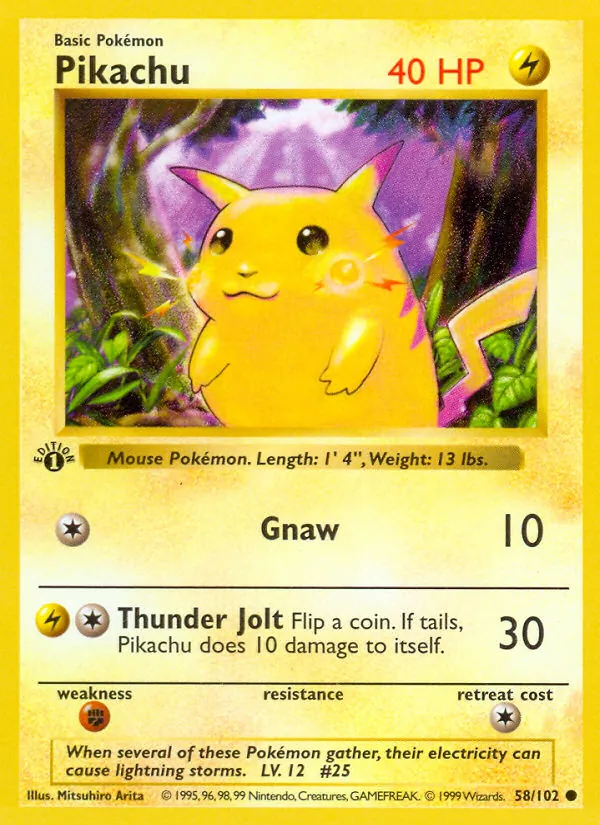
Pikachu · Base Set · #58 · Near mint
TCGPlayer Market: $42.50
$42.50 × 1.05, rounded up: $45
Case A · Riser 3 · Slot 12
STF–012 · Review, then send over Bluetooth
Customer sees this card at the booth
Six parts of vending. One place to keep them connected.
A record with context
Keep your full inventory in the vendor workspace. Mark the cards you’re bringing to a show, assign their physical locations, and give customers a view of what is actually available.
Your costs and internal records stay in the vendor workspace.
Designed for the physical booth
From the card in your display case to the price on its label, Setful keeps the physical details connected to the digital record.
Cases, risers, binders, and slots. Find the right card while the customer is still at your table.

Assign electronic labels to inventory and update supported tags through the vendor workflow.

A QR code opens your branded storefront. Customers browse what you brought, at the price you set.
In use at LeChonky Mart
Inventory, custom risers, electronic tags, and a customer storefront—brought together at one vendor’s table.

Early access
Tell us how you vend and what takes the most time. We’ll talk through whether the current Setful pilot fits your booth, your inventory, and your hardware.
Payments, marketplace synchronization, NFC workflows, and deeper analytics are planned additions. Pilot availability and supported hardware are discussed individually.